AR/VR
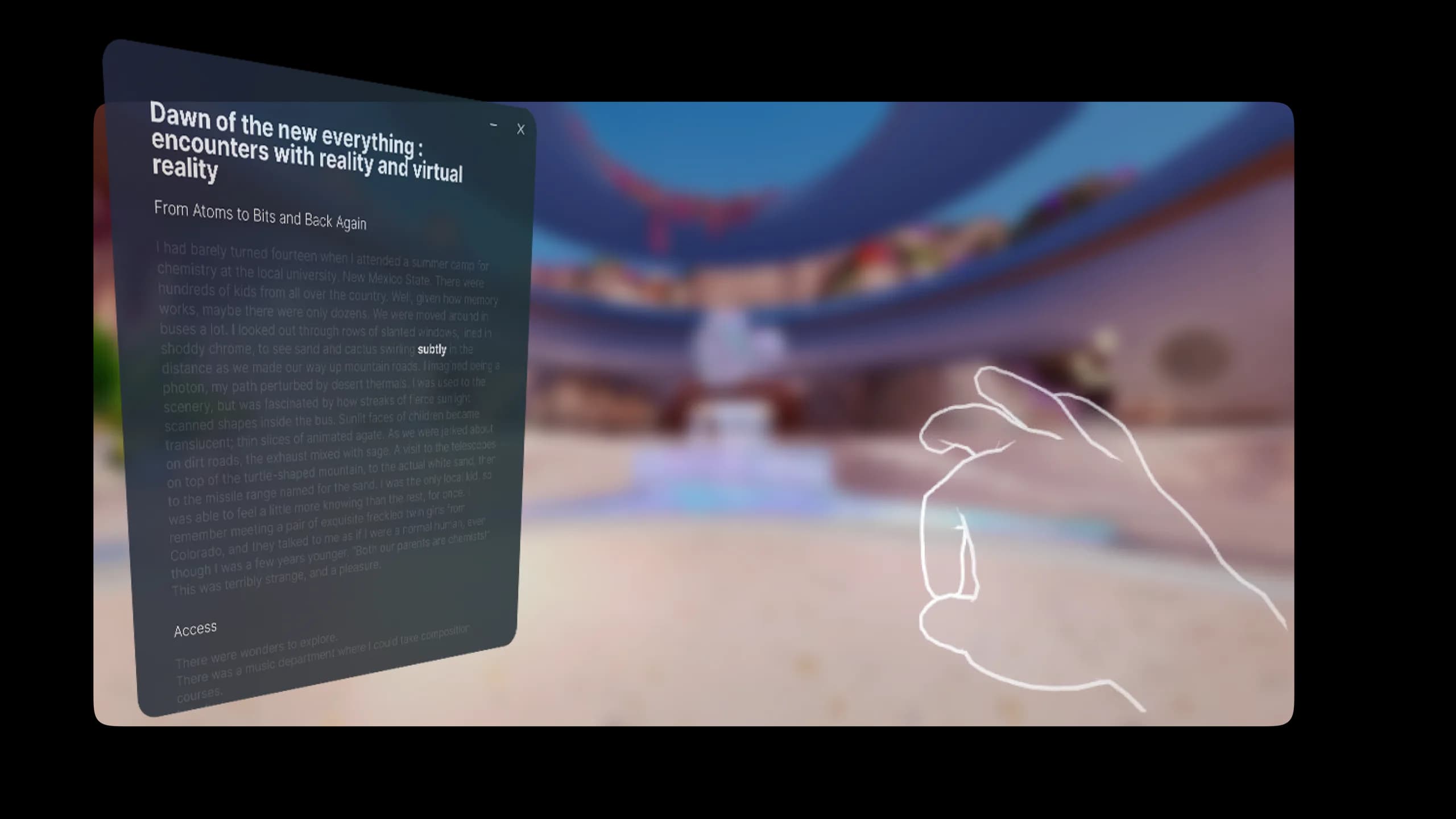
Augment reading comprension through VR
Role
Interaction Designer & Prototyper
Team
1
Introduction
Over the past two weeks, I ventured beyond my comfort zone into the world of AR/VR—a domain I’d only briefly experienced before. I was amazed at the rapid progress in head-mounted devices, fueled by competition between Meta and Apple. While the technology felt thrilling, I couldn’t help but question how these new interfaces should truly function as tools that enhance, rather than isolate, our everyday experiences.
Design Process: Early Encounters & Prototyping
My first hands-on experience with the Meta Quest 3 was a mixture of excitement and introspection. Placing virtual screens around me and pinching my fingers to resize them felt like stepping into the future. Yet, it quickly dawned on me that true productivity in VR demands more than novelty—it needs meaningful interactions and seamless integration of features like eye tracking. Before jumping into development, I created mockups in Figma to outline user flows and interface placements. Following Meta’s design guidelines, I carefully considered comfort, ergonomics, and how best to highlight text or interfaces. This upfront design stage helped me envision how immersion and embodiment—key principles of VR—could be leveraged to enhance reading comprehension without overwhelming the user.
Development Process: Building a “Gaze” System in Unity
Translating these designs into a working prototype led me to Unity and C#. Inspired by a prior module where I used cursor-based intersection checks in Processing, I adapted that logic to a 3D context. Instead of eye tracking, I placed a small sphere in front of the user’s face to detect when their “view” intersects with specific words. Initially, I struggled to dynamically manipulate text within a Canvas using TextMeshPro. After some exploration (and mentorship from a more experienced developer), I opted to generate each word as an individual TextMeshPro object in 3D space. This approach allowed me to toggle the word’s appearance when the sphere collided with it—emulating a simplified gaze mechanic. While this workaround is far from perfect, it successfully demonstrates how spatial intersections can drive dynamic reading experiences, paving the way for more advanced (and accessible) eye-tracking solutions.
Sphere gameObject
While working on my project to improve reading comprehension with AR/VR, I explored ways to leverage the Meta Quest 3’s head-tracking system. This served as my workaround to highlight the word the user is currently reading. To make this work, I anchored a sphere in front of the user’s face and detected intersections between the sphere and words (converted into game objects). This approach simulated a form of eye tracking, drawing inspiration from Sutherland’s Sword of Damocles, which used basic head tracking to create the perception of 3D perspective.”
Intersection Observer
The idea of coding an Intersection Observer in Unity originated from my previous work in Processing. In Processing, we utilized the position of the mouse cursor to determine if it fell within a defined rectangular area. When the cursor was in this area, a click event could be triggered, simulating the effect of a button. Transitioning this concept to Unity, the Intersection Observer was adapted to detect spatial intersections, such as objects entering or exiting predefined zones, thereby enabling dynamic, event-driven interactions within 3D environments.
Reflection
Looking back, this project solidified my belief that AR/VR design demands a careful balance between technological possibilities and user-centered interaction. My initial “gaze” prototype showcased the potential for immersive reading and text interaction but highlighted the limitations of relying solely on head orientation. Genuine eye tracking—likely via infrared sensors—would open doors to more fluid and inclusive experiences. On the design front, I plan to devote more time to sketching and rapid prototyping before diving into code. This iterative approach will help refine interactions like text highlighting, object manipulation, and multi-display workflows in a spatial environment. Ultimately, I see immense promise in AR/VR for augmenting human creativity and productivity, so long as we remain anchored in user needs and the ethos of true human-computer augmentation.
Written in collaboration with ChatGPT-4o