E-commerce
Case study
Role
UX Designer
Timeline
2023-2024
Team
2
Introduction
I was tasked by our product owner to design an e-commerce site for our web application. Herin, I will provide a high-level summary of my approach to tackling this problem. I began by asking myself: "What are the most effective UX design practices for e-commerce sites, and how can we best implement them in our web application?"
navigation
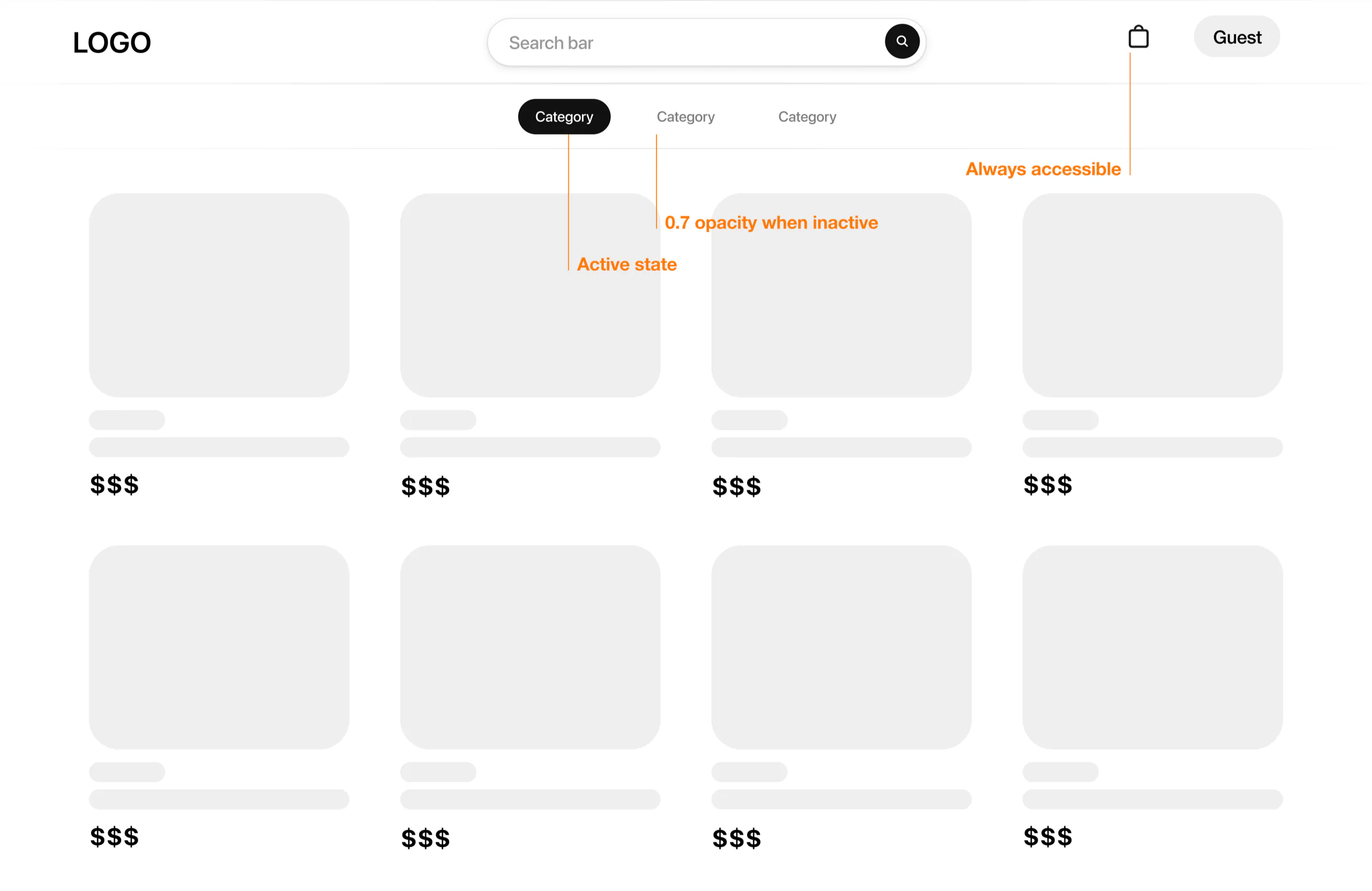
The main menu serves as a central hub for site navigation and should be designed for easy visibility and access. Position the menu in a standard location, such as the top or side of the page, and use distinct design elements to make it stand out. In this case it was postioned at the top with a sticky scrolling effect. A dropshadow was applied in order to make it stand out. This ensure that users can effortlessly locate and utilize the menu to explore different sections of the site, enhancing their overall experience.
Horizontal Toolbar Design
Users often ignore or overlook sidebar filters when they are positioned on the left-hand side. Placing filters and sorting options in a horizontal toolbar at the top of the product list ensures they are more prominently visible and accessible. Understanding user behavior when browsing products reveals a tendency to scroll upward towards the top of the product list when adjusting display preferences.
Social proofing
Incorporating social proof elements such as reviews and awards can significantly influence user trust and purchasing decisions. Displaying customer reviews, testimonials, and industry awards prominently on product pages serves to validate the quality and reliability of the products, encouraging users to proceed with their purchases.
Show Checkout Progress
Displaying the checkout progress is a key strategy to reduce user anxiety and abandonment rates during the purchase process. A visual progress indicator should clearly outline the steps remaining in the checkout process, providing users with a sense of control and clarity. This transparency helps build trust and encourages users to complete their transactions.
Reflection
Navigational clarity emerged as a cornerstone of our user experience design. We focused on ensuring that users always knew their current page and how to navigate back, making the menu easily locatable and keeping the search bar visible at all times. Every design decision was aimed at empowering users with seamless exploration and effortless information retrieval. The difference between desktop and mobile experiences highlighted the importance of adaptability. It’s not just about responsiveness but about creating tailored experiences for varying screen sizes and interaction patterns. On mobile, for instance, clarity in touch interactions and thoughtful organization of interactive elements are crucial to enhance functionality without overwhelming the user. Our approach to filtering mechanisms was pivotal in boosting user engagement. By introducing a horizontal toolbar for filters and sorting, we addressed previous user oversight and clarified the distinction between sorting and filtering functionalities, thus streamlining the browsing experience. On the product page, adding related products not only increased discoverability but also fostered deeper engagement and potentially higher conversion rates. This strategic placement encourages users to explore complementary items, enriching their overall shopping journey. We recognized that simplifying the checkout process is critical to reducing friction and cart abandonment. By consolidating the checkout flow into one or two pages with clear progress indicators and secure payment options, we aimed to instill confidence and make the purchasing process as seamless as possible. Reflecting on these findings, I understand that successful UX design in e-commerce is about more than just meeting user needs—it’s about anticipating behaviors and preferences. It is an ongoing process of refinement and adaptation, where each iteration brings us closer to delivering an intuitive and rewarding online shopping experience. Looking ahead, integrating sticky navigation elements, such as a persistent search header, underscores our commitment to convenience and accessibility. These features ensure that essential tools are always within easy reach, further enhancing usability and user satisfaction.